Know who is on site, before the client asks.
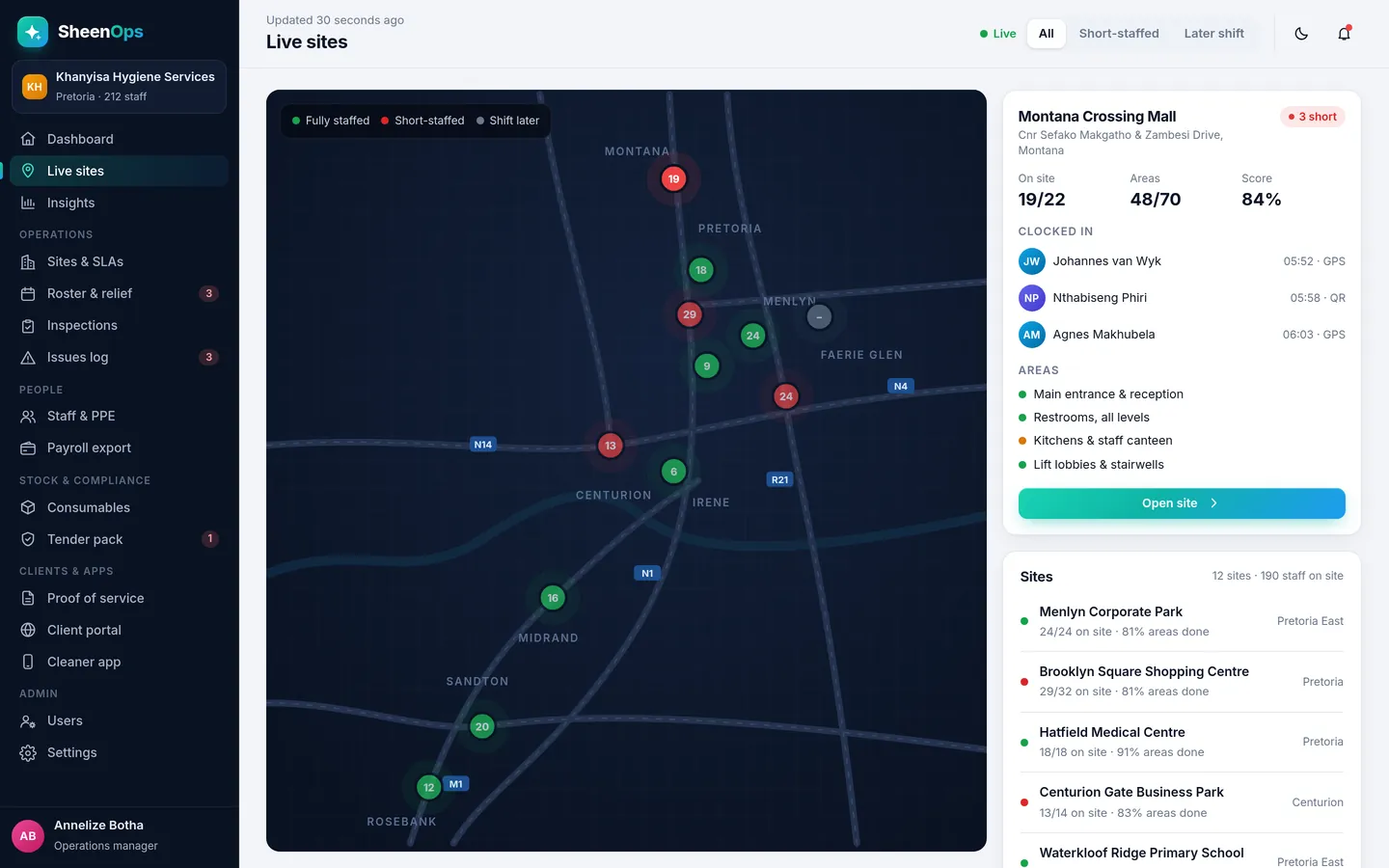
Cleaners clock in on their own phone when they arrive. SheenOps checks that they are really at the site, using GPS or the site's QR code. You see who is on site, who is late and who has not arrived, on one live map.
How it works, simply
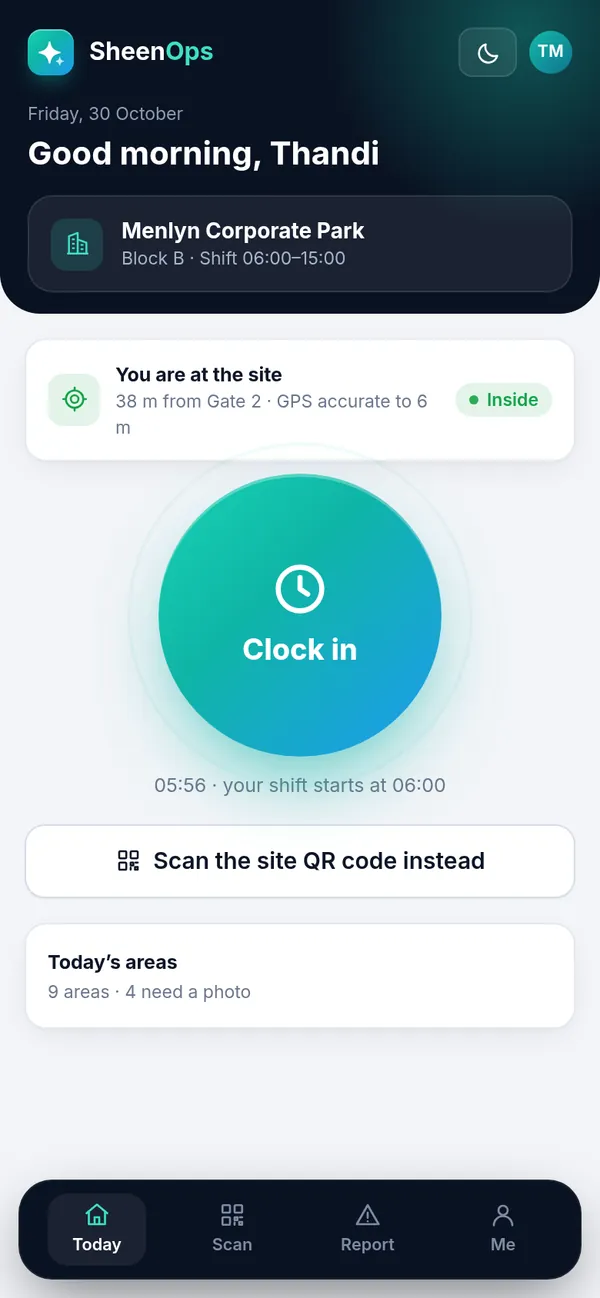
Each cleaner opens SheenOps on their phone and taps Clock in. The phone checks they are inside the site boundary, or they scan the QR code at the entrance. If someone is late or does not arrive, you know at 06:15, not at 10:00 when the client phones.
What you get
- Clock in with GPS inside the site boundary, or by scanning the site QR code
- Late and no-show alerts straight after shift start
- Live map of every site: fully staffed, short-staffed or later shift
- Works on the cleaner's own Android or iPhone, in the browser
Why it matters for your contracts
Cleaning contracts in South Africa are renewed on trust and lost on complaints. GPS & QR clock-in turns the work your team already does into proof you can show the client, without extra admin for your supervisors.
It is one module of SheenOps. Use it on its own, or with area scans with photo proof and client reports for the full picture.
GPS & QR clock-in: questions
What if a cleaner's phone has no data?
The cleaner can scan the site QR code, and the clock-in is saved on the phone and sent as soon as there is signal. The time recorded is the time they scanned.
Can a cleaner clock in from home?
No. A GPS clock-in only counts inside the site boundary you set, and a QR clock-in needs the code that is fixed on site. Anything outside is flagged for the supervisor.
Do cleaners need to install an app?
No. SheenOps runs in the phone's browser and can be added to the home screen like an app. It works on entry-level Android phones.
How much does SheenOps cost?
It depends on the modules you switch on and the size of your team. Ask for access to a working demo or WhatsApp us, and we will send you a quote that fits your company.
See SheenOps with your own sites
Ask for access to a working demo. We set it up with your sites and checklists, and give you a login to test it with your team. Or WhatsApp us with a text or voice note.