Every SheenOps feature, in plain words
Ten modules that cover a cleaning contract from the first clock-in to the client's monthly report. Switch on only the ones you need.
The ten SheenOps modules
GPS & QR clock-in
Cleaners clock in on their own phone with GPS or the site QR code.
Area scans with photo proof
Every area gets a QR code.
Supervisor inspections & scores
Supervisors score cleaning inspections on a phone or tablet, add photos and findings, and the client signs on screen.
Proof-of-service reports & client portal
Give every cleaning client a live portal and a monthly proof-of-service report: shifts staffed, areas cleaned, inspection scores and issues resolved.
Roster & relief cover
Plan weekly cleaning rosters, see no-shows the moment shifts start and send relief cleaners from your pool in two taps.
Staff documents & PPE
Keep every cleaner's ID, contract, medical, police clearance and PPE issues in one place, with expiry dates listed before they lapse.
Payroll export
Turn clock-ins into payroll hours: normal time, overtime, Sunday and public holiday hours per cleaner, exported for your payroll system.
Consumables per site
Track soap, paper, chemicals and bags per site with par levels and low-stock alerts, and see what consumables cost per site each month.
Tender & compliance pack
Keep CIPC, tax, B-BBEE, COIDA, UIF, CSD and insurance documents with their expiry dates in one place, ready to download as a tender pack.
Insights
See attendance trends, inspection scores by site, issues and cost per site on simple dashboards, so you know which contracts need attention.
Something else?
Tell us how you work. Every module can be shaped around your contracts.
Know who is on site, before the client asks.
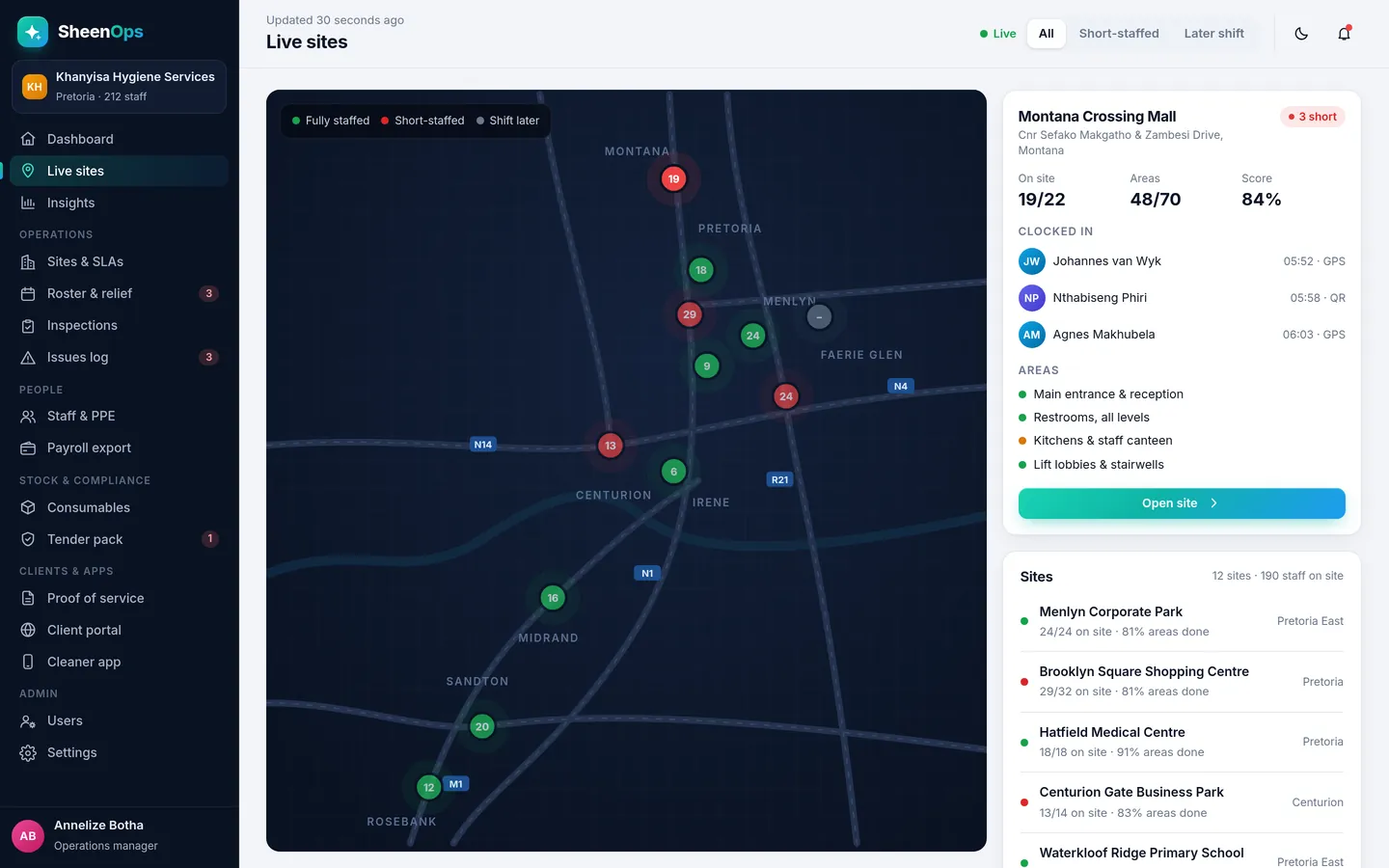
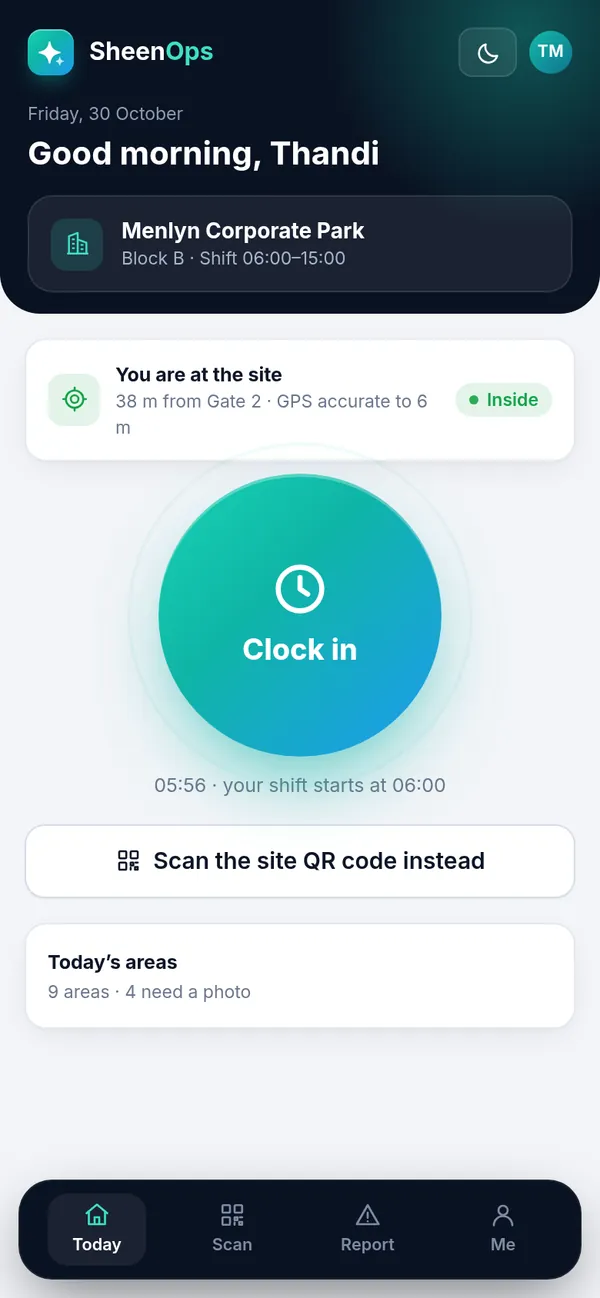
Each cleaner opens SheenOps on their phone and taps Clock in. The phone checks they are inside the site boundary, or they scan the QR code at the entrance. If someone is late or does not arrive, you know at 06:15, not at 10:00 when the client phones.
- Clock in with GPS inside the site boundary, or by scanning the site QR code
- Late and no-show alerts straight after shift start
- Live map of every site: fully staffed, short-staffed or later shift
- Works on the cleaner's own Android or iPhone, in the browser
Every area cleaned, with a photo to prove it.
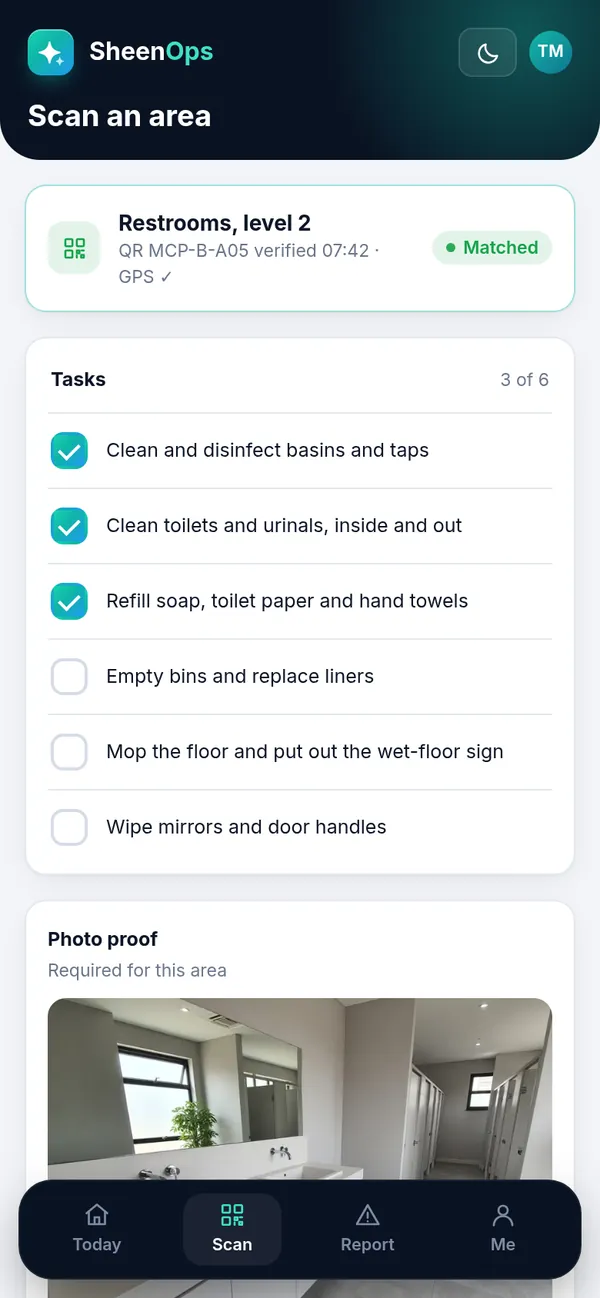
Instead of a paper sign-off sheet behind the door, the cleaner scans the area's QR code with their phone. A short task list appears, such as basins, toilets, refill soap and mop. They tick the tasks, take a photo, and the area is marked done.
- QR code per area, with its own task list
- A photo is required before an area can be marked done
- Time, GPS and photo saved with every scan
- Clients see the area log with photos in their portal
Inspections that score themselves, signed on the spot.
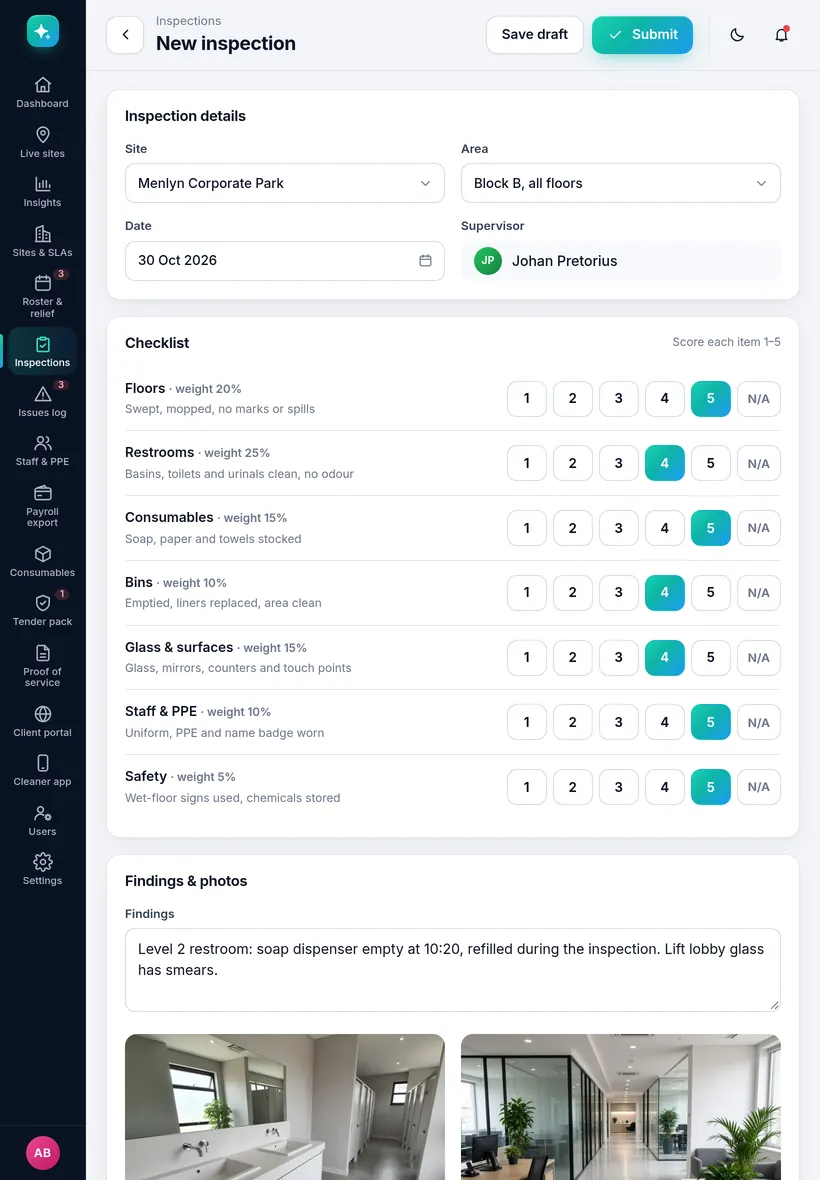
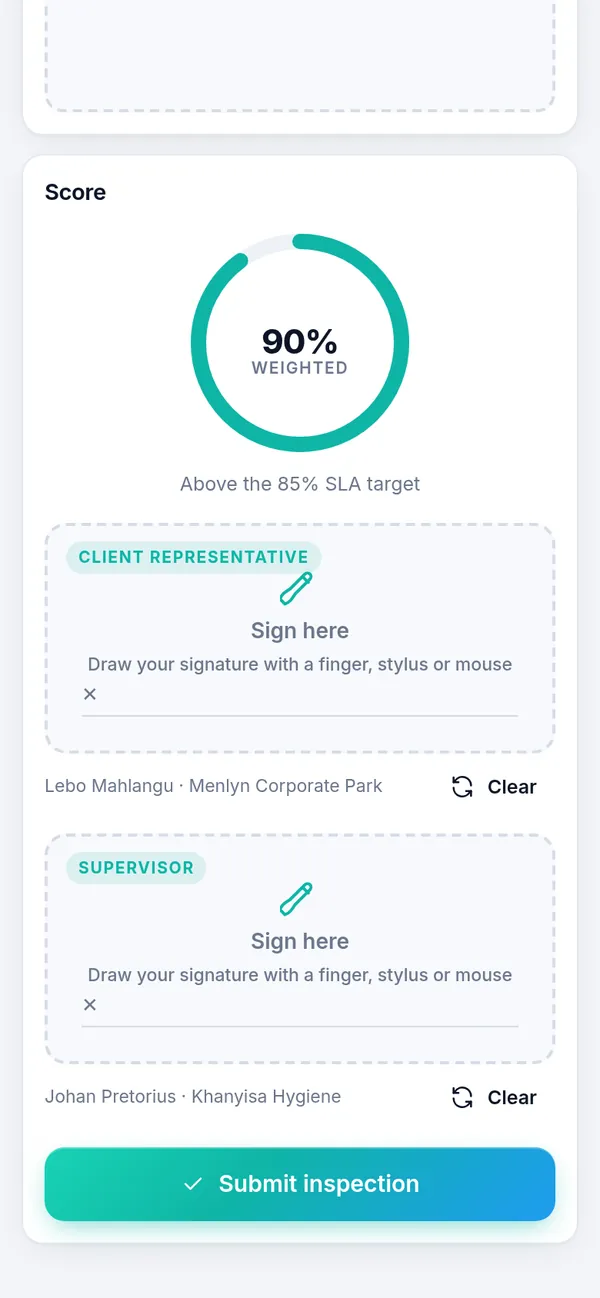
Your supervisor opens a checklist for the site, for example floors, restrooms, consumables, bins, glass and staff uniform. Each item gets a score from 1 to 5. Some items count more than others. SheenOps adds it up, shows the score against the SLA target, and asks for signatures.
- Weighted checklists you set up per site or contract
- Photos and findings on every item
- Client and supervisor sign on screen
- Findings become follow-up tasks until they are closed
Show clients the work, every day and every month.
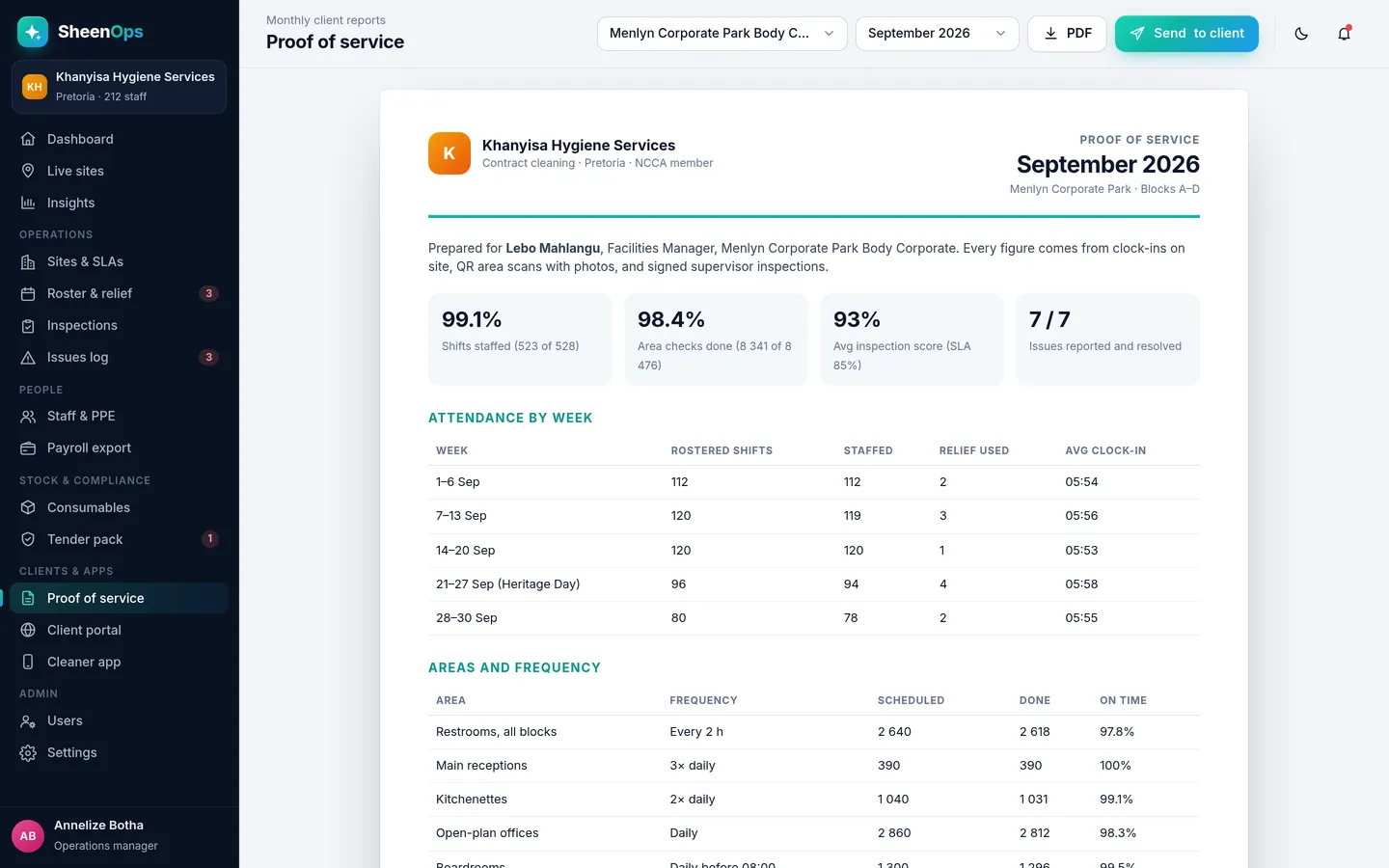
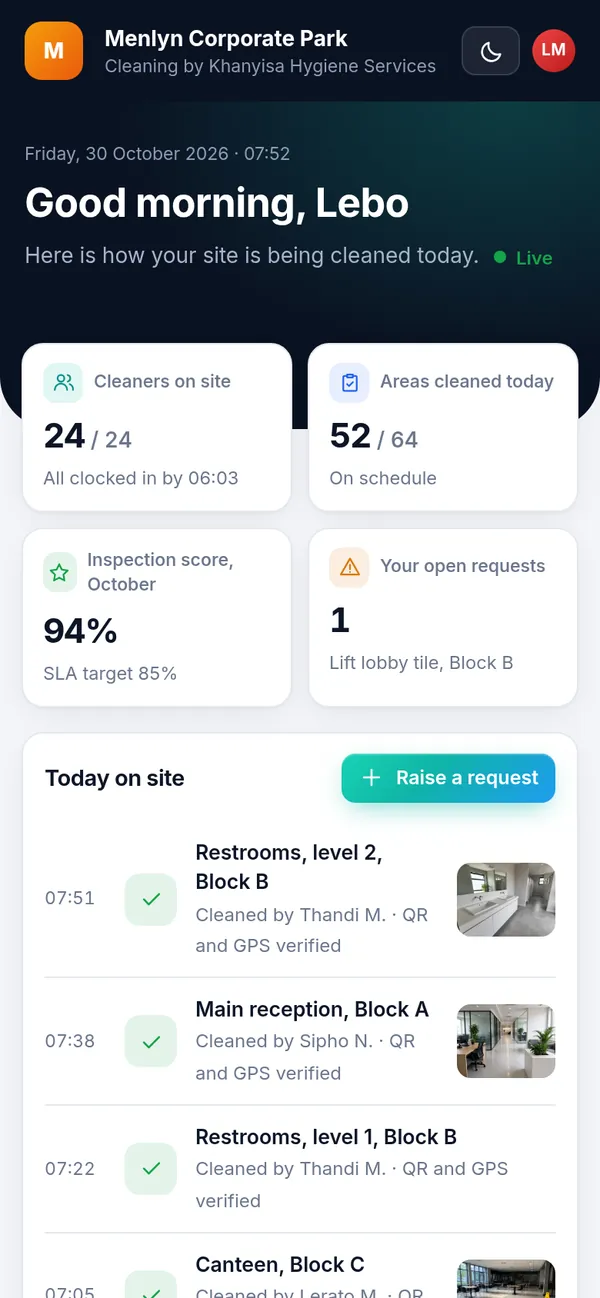
Your client's facilities manager logs in on their phone or computer. They see who is on site, which areas have been cleaned and when, and the latest inspection score. They can log a request, like a spill, and see when it is done. At month end they get a PDF report with all the numbers.
- Live client portal: no app for the client to install
- Monthly proof-of-service PDF with your branding
- Client requests go straight to your supervisor
- Every number comes from clock-ins, scans and signed inspections
When someone does not arrive, cover the shift in two taps.
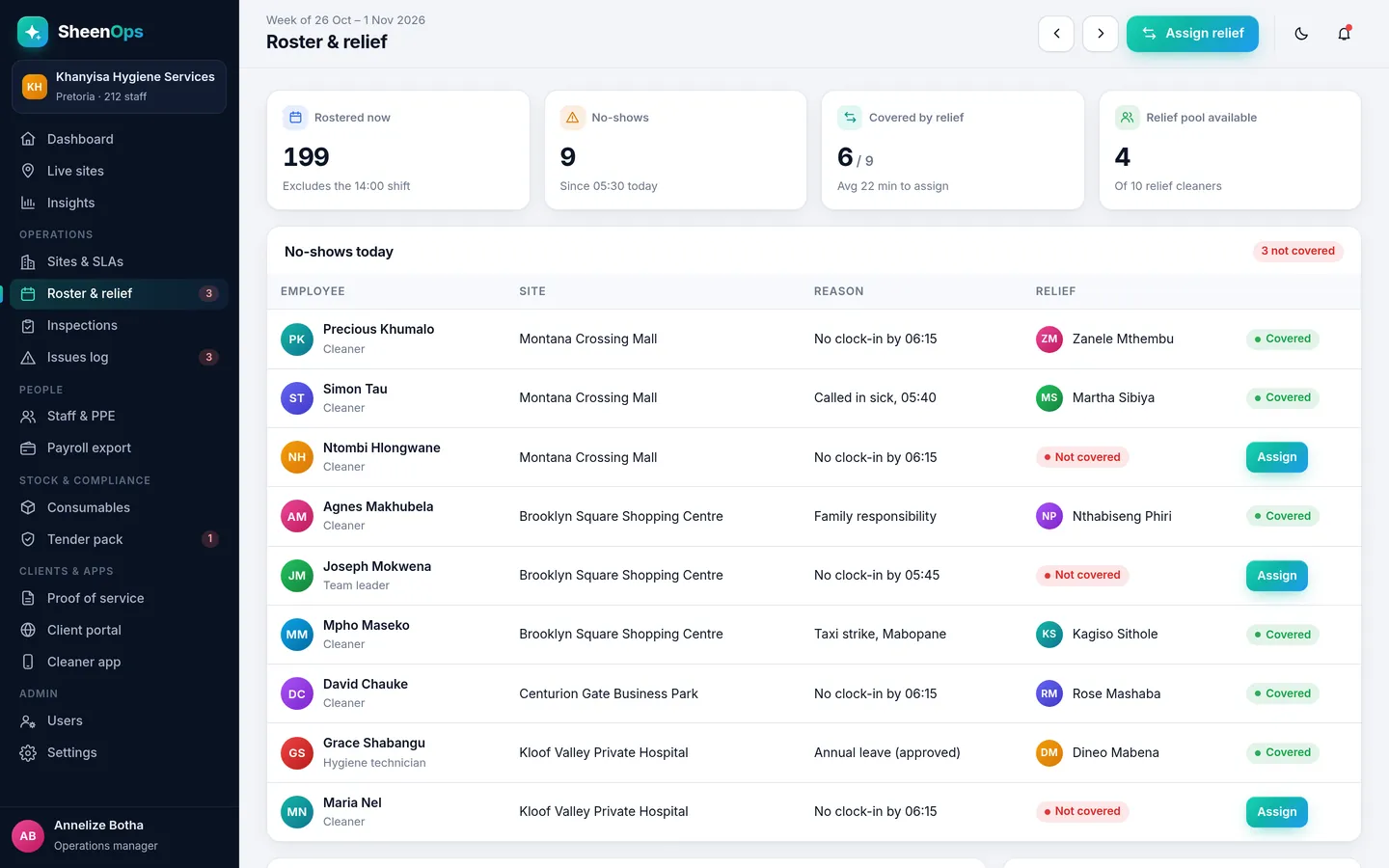
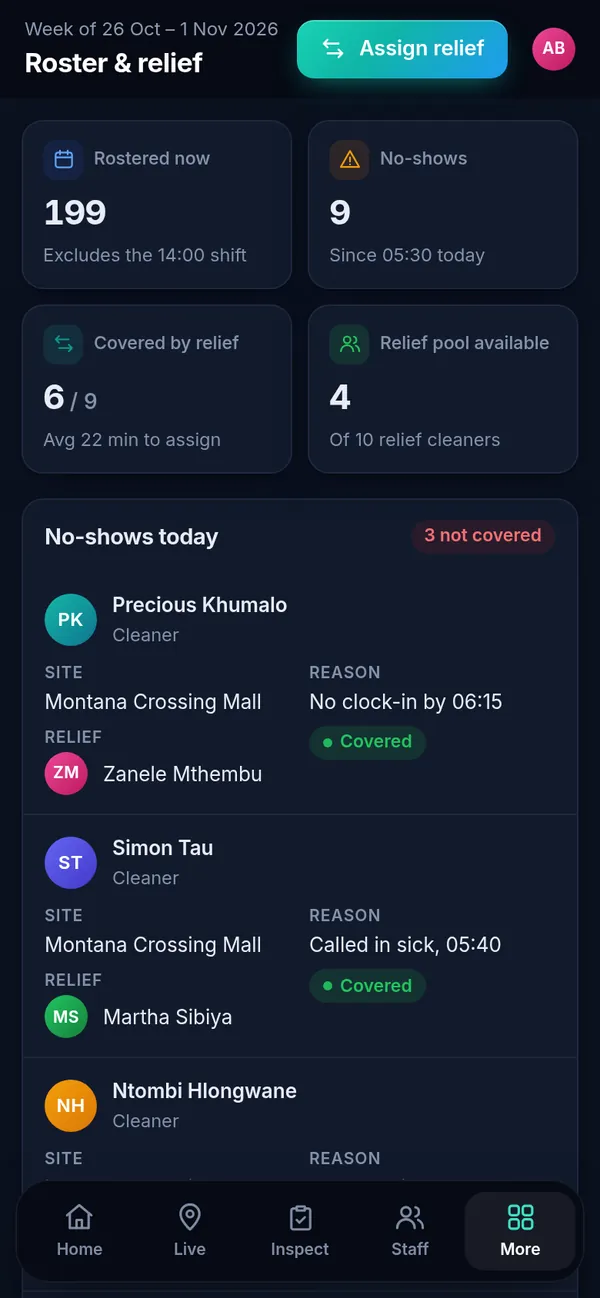
Every morning, the roster page shows who was supposed to be on site and who actually clocked in. No-shows are listed with the reason if one was given. Next to it is your relief pool. Tap Assign, pick a relief cleaner, and they get the site and shift on their phone.
- Weekly roster per site and shift
- No-shows listed straight after shift start
- Relief pool with who is free today
- Cover is recorded for payroll and the client report
Every staff file complete, every expiry in view.
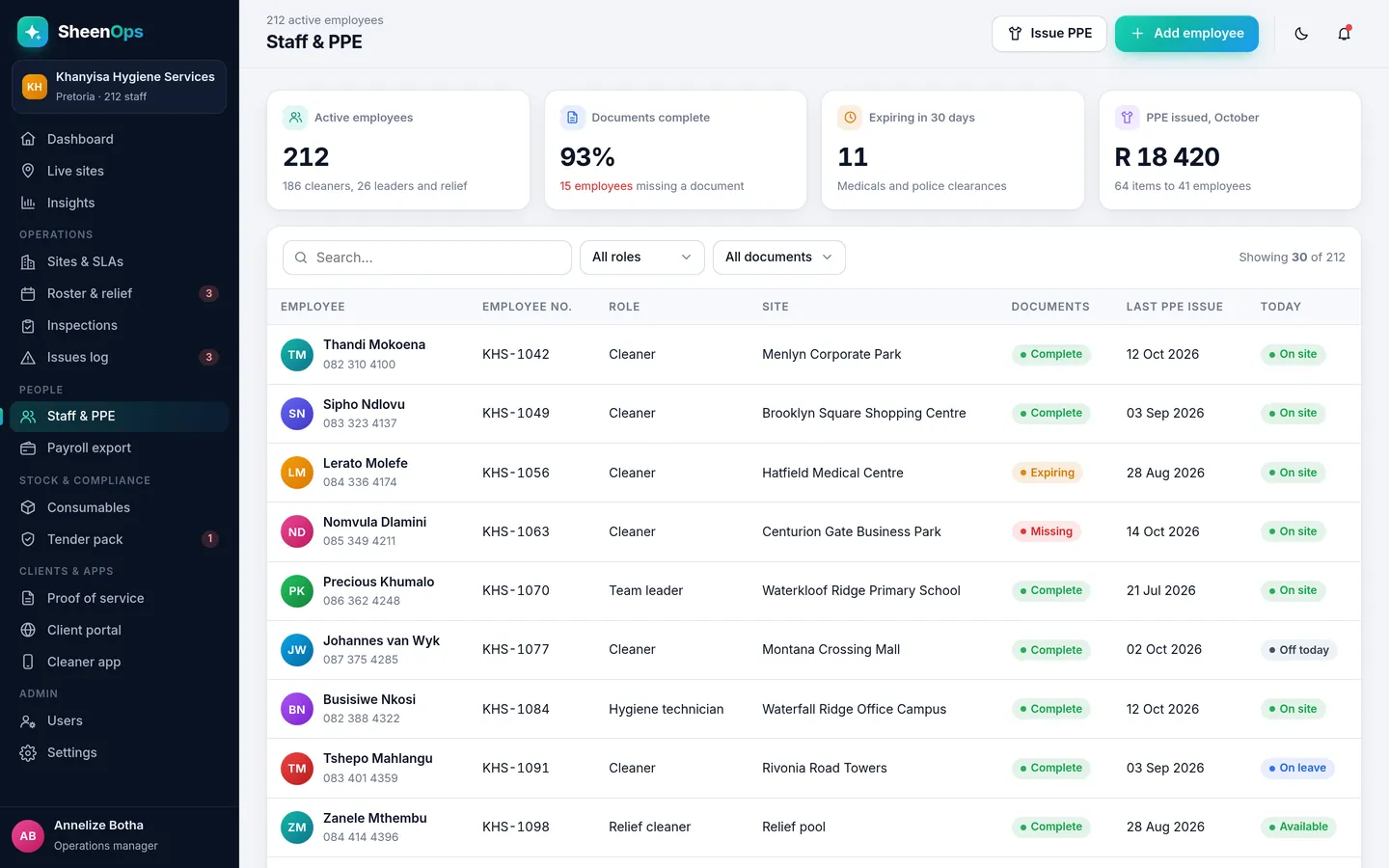
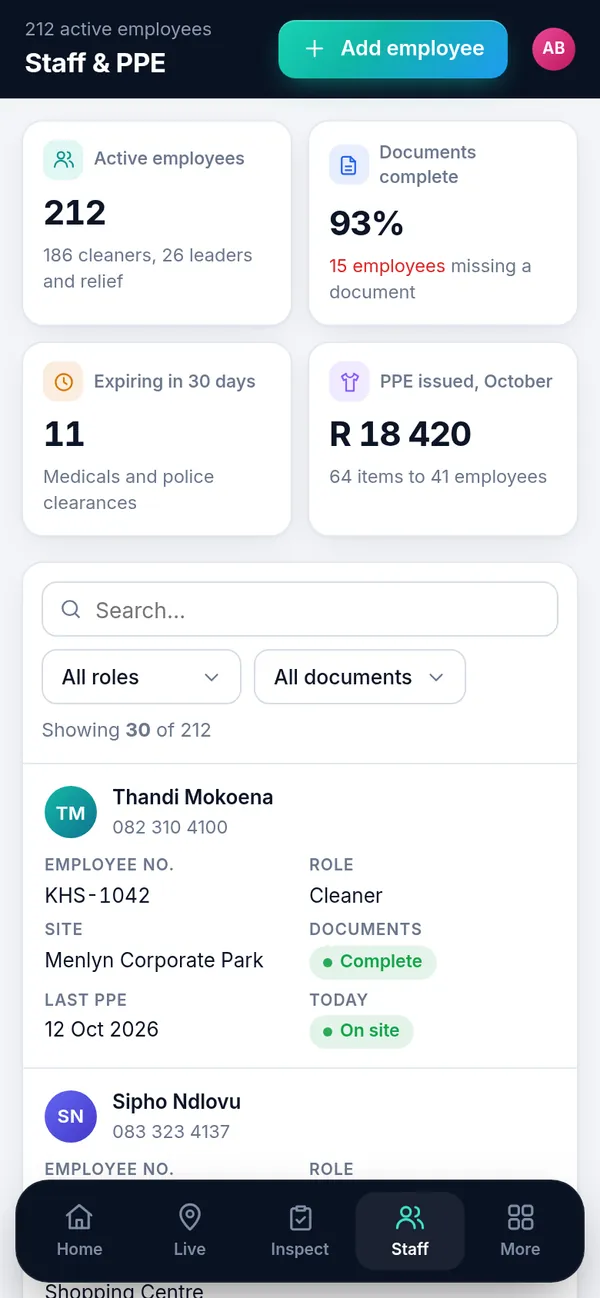
Open a cleaner's file and you see their details, site, documents and PPE history. Documents that are missing or about to expire are flagged. When you issue gloves, overalls or shoes, you log it and the cleaner signs on screen.
- Documents with expiry dates and reminders
- PPE issue register with signatures
- Missing and expiring documents listed per site
- Initials avatars, no staff photos needed
Payroll hours from real clock-ins, not from paper registers.
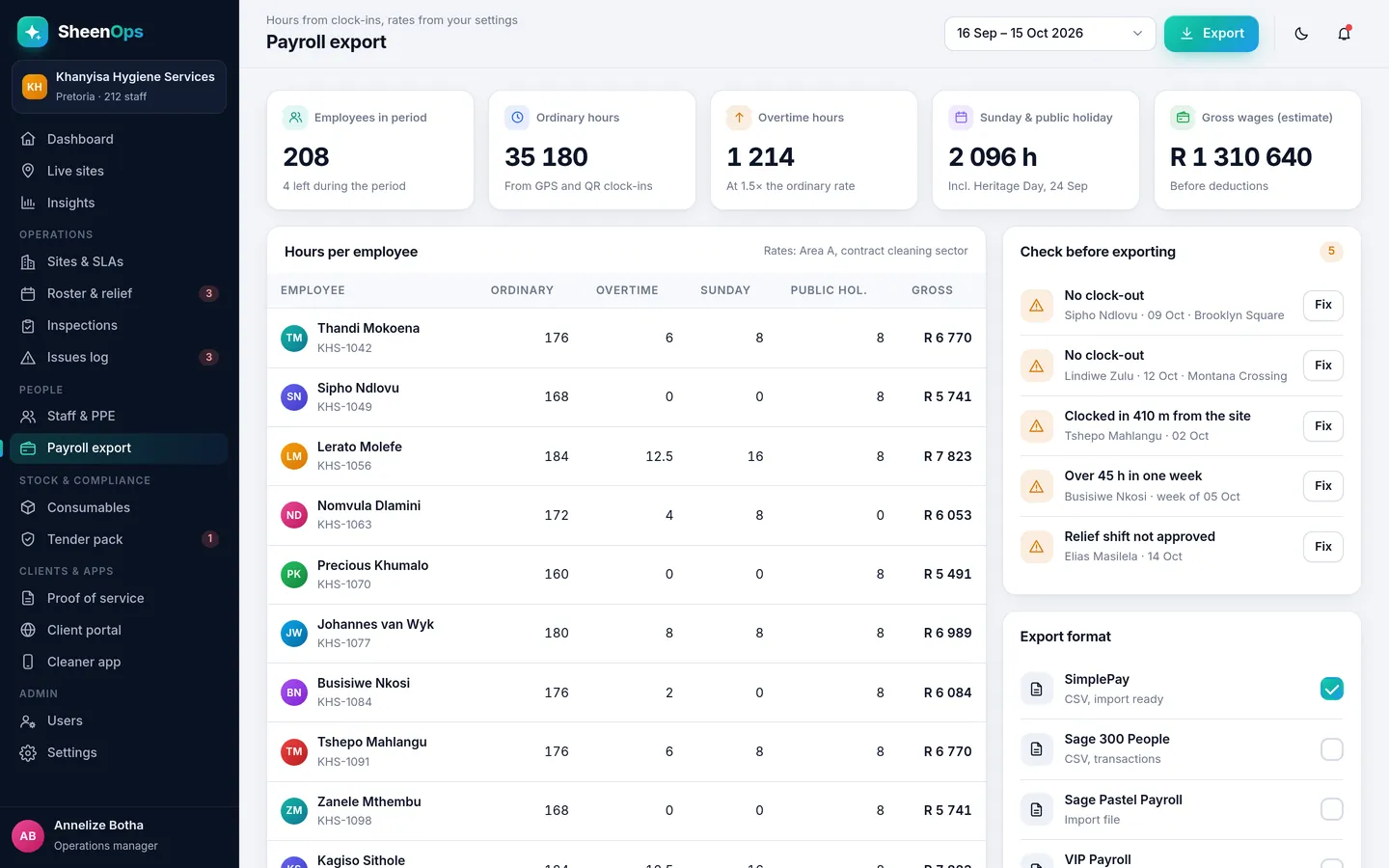
At the end of the pay period, open Payroll export. Each cleaner's hours are already worked out from their clock-ins and clock-outs, with relief shifts included. Fix anything that looks wrong, approve, and download the file for your payroll.
- Normal, overtime, Sunday and public holiday hours
- Rates set per area or contract, in rands
- Exceptions listed: missed clock-outs, short shifts
- CSV export for your payroll software
Never run out of hand towels at the worst moment.
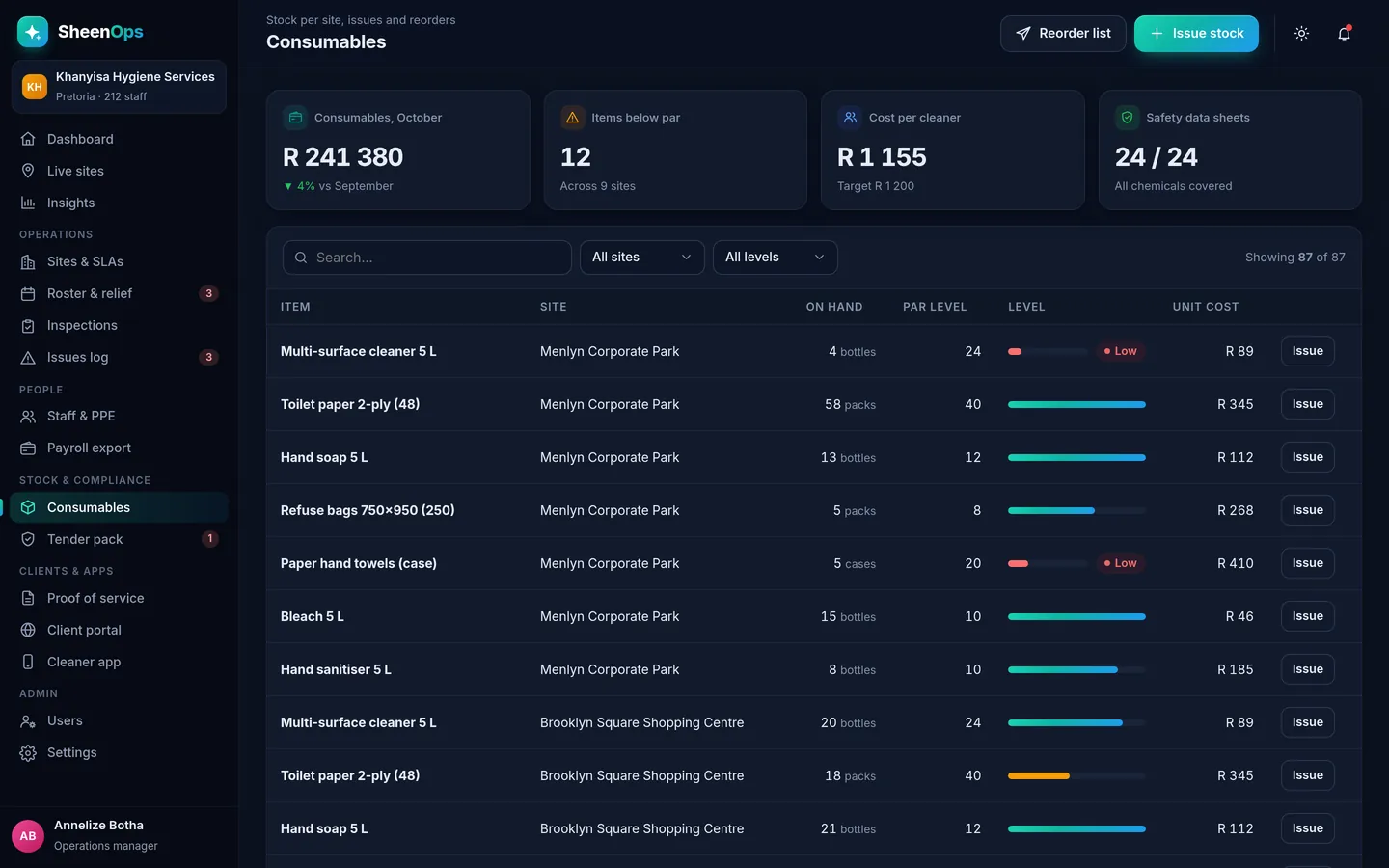
Each site has a short stock list, like hand towels, toilet paper, soap, refuse bags and chemicals. When stock is issued or counted, it is logged. If a site drops below its par level, it shows on your dashboard so you can deliver before the client notices.
- Par levels per item, per site
- Low-stock alerts on the dashboard
- Issues to site logged with who and when
- Monthly cost per site in rands
Your tender documents ready before the tender closes.
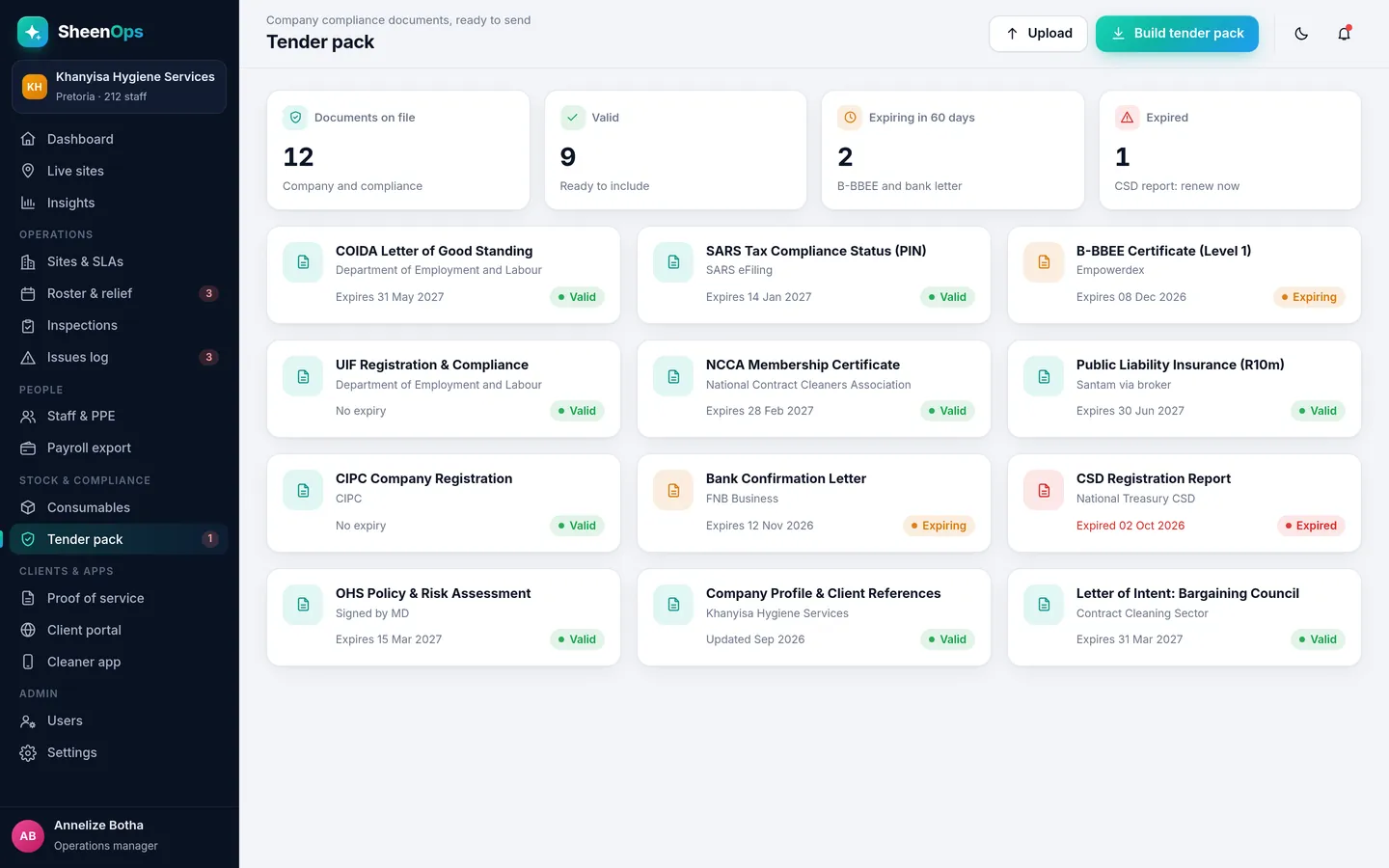
Upload each company document once and set its expiry date. SheenOps lists what is valid, what expires soon and what has expired. When you respond to a tender, tick the documents you need and download them together.
- All company documents with expiry dates
- Expiring and expired documents flagged
- One-click tender pack download
- Attach site performance reports as evidence
See which sites need attention, at a glance.
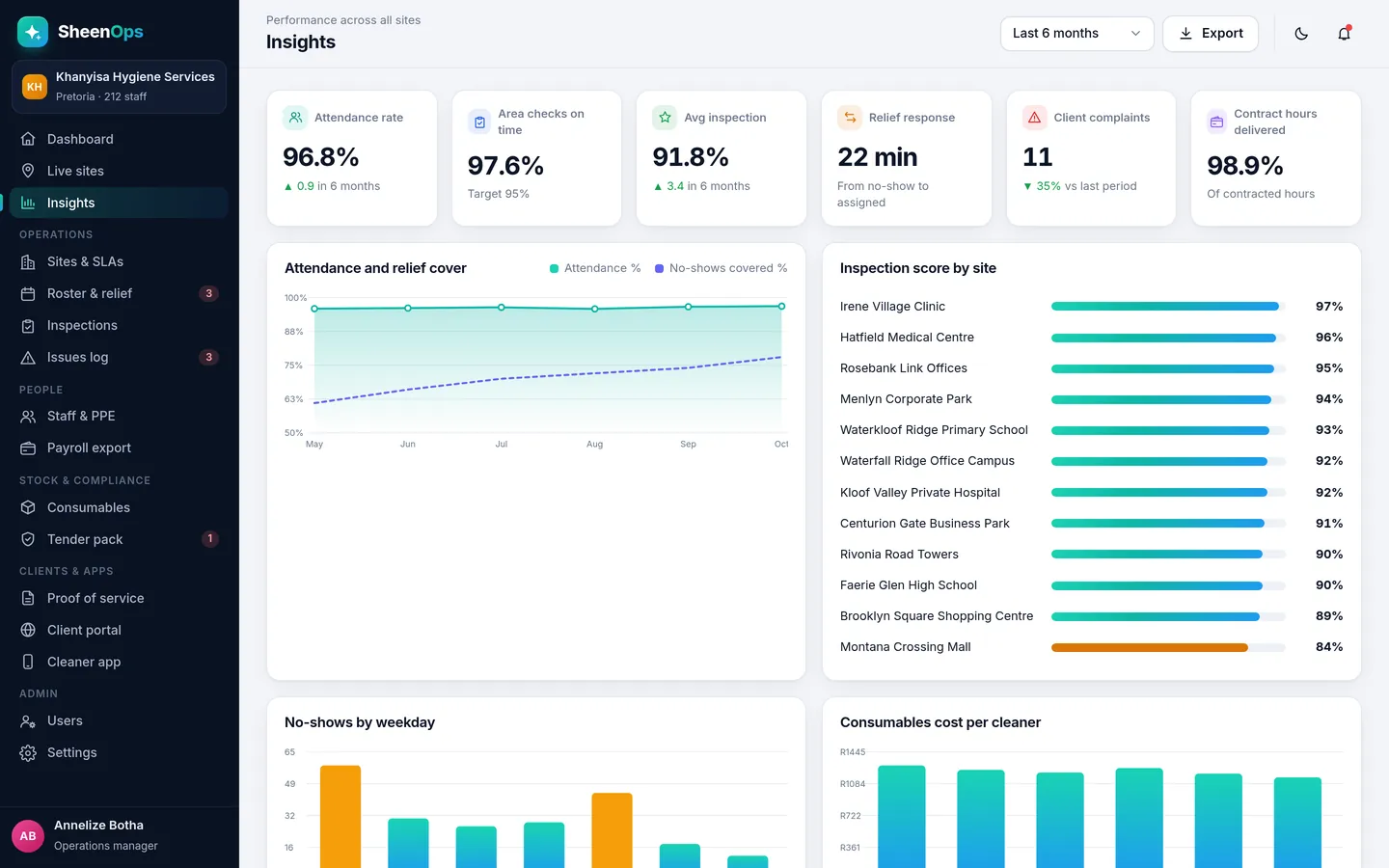
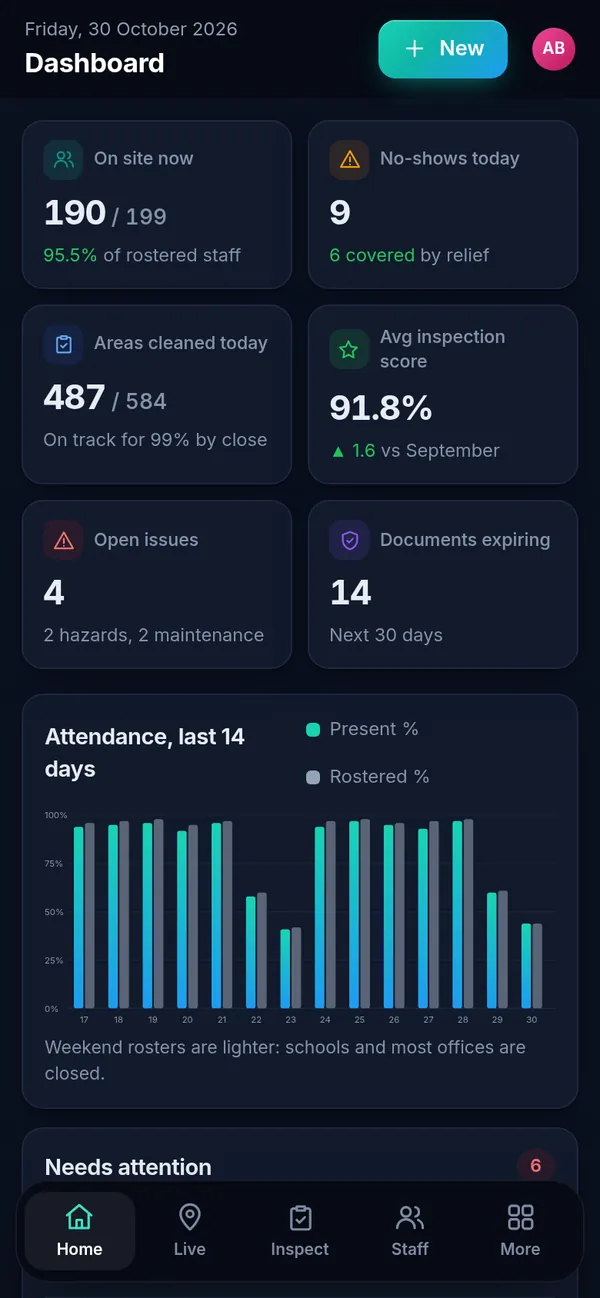
The dashboard shows today's numbers: cleaners on site, no-shows covered, areas cleaned and the average inspection score. Insights goes further, with trends over months and a ranking of sites by score, so you can act before a contract is at risk.
- Attendance and inspection trends
- Sites ranked by score and SLA
- Issues by type and time to close
- Cost per site per month
See SheenOps with your own sites
Ask for access to a working demo. We set it up with your sites and checklists, and give you a login to test it with your team. Or WhatsApp us with a text or voice note.